Can’t Get Back is a moody top-down escape game set on a slanted, neon-lit board. When you play Can’t Get Back unblocked, you pilot a whirling little shape through grass that never stops scrolling, and whatever slides too far away is gone for good. The mission is to find numbered machines and power them up one after another while dark squares close in. Kipkat made it for js13k 2019, and every visual and sound comes from code.
The Story and the Goal
Press Space on the title screen and a short story scrolls by. You are trapped in a maze, and to get home you must turn on the generators in order, which arms a bomb that will break this world. The story also warns that everything disappears as you pass by it.
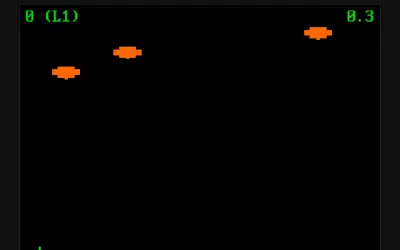
On level one, you need five generators. A counter at the top left shows how many are left, and your hearts sit along the bottom. You start with three.
How to Play Can’t Get Back
Steer with the arrow keys. Your shape has momentum, so it keeps drifting a little after you let go. W, A, S and D fire bullets up, left, down and right, and holding a key keeps the shots coming.
Gray machines with a big number drift into view from the edges of the board. Get close to one and a message tells you whether it is ready. If its number comes right after your last generator, press E to activate it. The number turns from red to green, and if you have lost a heart, you get one back.
There is a catch. Each machine’s number is random, and only one machine is on the board at a time. When the one you see is the wrong number, the next one cannot appear until it drifts off the edge.
Enemies, Pickups and the Radar
Dark squares with red edges appear at random and chase you. Each one that reaches you takes a heart and flings you far across the field. Bullets curve toward them and push them back, which buys you space but never destroys them. Squares can also, rarely, split into two.
Four pickups can turn a bad moment around, and you press E next to each one to use it:
- Medkit, a white crate with a red cross, refills all your hearts. It refuses to work at full health.
- Statue lets you pray for almost eight seconds of immunity. The screen turns gray, and enemies bounce off you.
- SPD block gives a short burst of extra speed.
- Green heart adds one heart, even beyond your normal total.
The mini radar at the bottom right is your map. It marks generators green, enemies red, and pickups blue or cyan, each with a line pointing toward it.
Levels Without an End
Power up every generator on a level and you move on. The colors shift, the music speeds up, your heart limit grows by one and refills, and the chain gets one generator longer. Lose all your hearts and you see “You died.” Press Space to try again with full hearts, but every generator on that level must be powered again from 1.
Can’t Get Back Tips
- Check the radar often. It is the only way to spot the next generator before it scrolls into view.
- Stay near what you need. If you see the correct number, do not wander. Drifting away can delete it.
- Push wrong numbers away. A useless machine blocks new ones, so drift away from it until it leaves the board.
- Save the medkit for emergencies. It refills everything, so it is wasted at full health.
- Use the statue when swarmed. Almost eight seconds of safety is enough to reach a generator through a crowd.
- Shoot early. Pushing enemies off course before they arrive beats escaping after a hit.
Mistakes New Players Make
New players often hold an arrow key too long and slide right past a generator. Short taps keep you in range. Another common mistake is chasing every pickup. The field scrolls as you move, so a long detour can carry the generator you need off the board for good.
Playing on a School Laptop
This one is keyboard only, so it will not work on a phone or tablet. If your Chromebook struggles, press L to switch to a lighter graphics mode. M silences the music once the current loop finishes, though sound effects keep playing. There is also a hidden extra: the backtick key turns on a self-playing bot that the author left in and called buggy.
Nothing is saved between visits, so each session starts at level one. A few levels fit nicely into a break. For more, see the adventure games page or try these:
- Broughlike Dungeon is another small exploration game, but it moves in turns, so you can plan every step.
- A Dark Room is a slow, text-based adventure, a good pick when you want a calmer story.
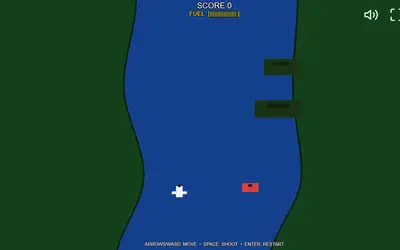
- River Strike keeps the keyboard shooting but adds a fuel gauge on a scrolling river.