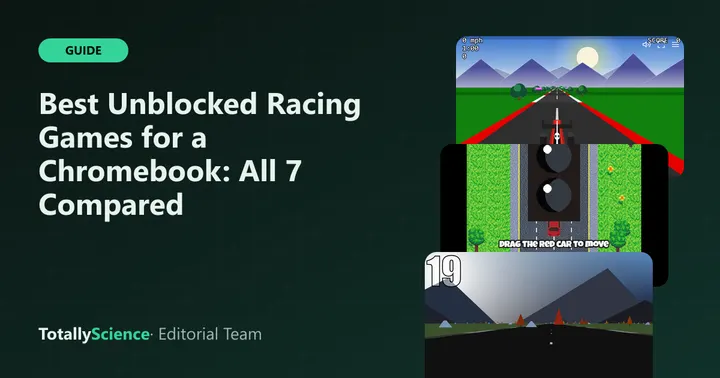
The best unblocked racing games for a Chromebook are the ones that match your controls and your free time. On Totally Science, Speedway is the quickest place to start, Micro Racer is the best all-round race, and Mini Grand Prix is the deepest if you have a keyboard and a full lunch break. All seven run in a browser tab with nothing to install.
Below you will find what each game feels like, how you steer it, and whether it works on a phone.
What to Look For in a Car Game
Racing games differ more than you might think. Some are pure dodging, some are real races against rivals, and one is close to a full motorsport weekend.
Before picking one, ask yourself three things:
- Controls: do you have a keyboard, a touchpad, a mouse or only a touchscreen?
- Time: do you have one minute or twenty?
- Device power: is your laptop new, or does it slow down with 3D games?
All 7 Racing Games at a Glance
| Game | Style | Main controls | Phone or tablet | One run takes |
|---|---|---|---|---|
| Speedway | Retro 3D time attack | Keys, mouse or touch | Yes | About 1 minute |
| Infinite Cars | Endless highway dodger | Drag with mouse or finger | Yes, portrait | Often under a minute at first |
| Micro Racer | Top-down race vs 3 cars | Arrows or WASD, touch stick | Yes | A couple of minutes |
| Hue Jumper | 3D road vs the clock | Mouse steering | Partly | Half a minute to a few minutes |
| Road Agent | Top-down driving shooter | Keys, mouse or touch | Partly | One minute or much longer |
| Redrock | 3D downhill race vs 3 cars | Arrows or WASD | Partly, landscape | A few minutes |
| Mini Grand Prix | Race weekend with pit stops | Keyboard only | No | Lunch break length |
The Quick Games
These three fit a short gap between classes. You can finish a run, check your score and close the tab.
Speedway
Speedway puts you right behind a red open-wheel car on a looping track with twelve slower cars. You get sixty seconds, and your score grows with distance. Steer early and you never need to brake.
It works with the arrow keys or WASD, a mouse (left button for gas, right for brake) or on-screen touch buttons. That flexibility makes it a safe first pick on any device.
Infinite Cars
In Infinite Cars, you never touch the gas. The car moves forward by itself, and you drag it sideways around cones, slow drivers and speeders coming from behind. One bump ends the run.
The layout is tall and narrow, so it plays well on a phone held upright. Your best distance is stored in the browser for next time.
Hue Jumper
Hue Jumper is a blocky 3D drive where the only rival is a timer. You start with 20 seconds, and each checkpoint adds 10 more. You steer by moving the mouse, hold the button to brake, and double-click to jump over rocks and trees.
The game locks your pointer while you drive, which keeps steering smooth. A touchpad works, but a mouse feels better here.
Real Races Against Rivals
These two put other cars on the track with you, so you are chasing positions, not just a score.
Micro Racer
Micro Racer is a top-down race against three computer cars over three laps. Every restart builds a new random circuit, so you learn to read corners instead of memorizing them. Boost pads and a handbrake drift (hold Space) add some tricks.
It runs in either screen orientation and has a touch stick, but the arrow keys give the most control on a laptop.
Redrock
Redrock is a 3D race down a 5.6 km mountain road by the sea, drawn with thick comic-style outlines. You start behind three rivals, so the whole run is a chase. On our site it always loads the same course, which means every attempt teaches you something about the next one.
It asks more of your computer than the others. A recent Chromebook should be fine, while older machines may stutter. Phones get touch pedals and tilt or drag steering.
Something Different
These two stretch the idea of a racing game.
Road Agent
Road Agent mixes driving with shooting. Your blue car has forward guns, and you wreck hostile drivers while sparing regular traffic. Hitting an innocent car costs 750 points and resets your multiplier, so careful aim matters more than holding the fire button.
Keys reach every gadget, including oil (Z) and smoke (X). Touch works for driving and shooting, but it has no oil or smoke buttons.
Mini Grand Prix
Mini Grand Prix is the most detailed of the seven. You pick a circuit on a globe, qualify, then race three laps against five rivals with tyre wear, possible rain and at least one pit stop. The keys are unusual: W is gas, D is brake, and the arrows steer.
A physical keyboard is a must, so it will not work on a phone. Time Trial is the shorter option if a full weekend does not fit your break.
Keyboard, Touchpad or Phone
A school Chromebook keyboard handles every game on this list. If you want to check a key combination on your device, Google’s help page explains that you can press Ctrl + Search + s to see all Chromebook keyboard shortcuts.
A few quick notes by device:
- Keyboard only: Micro Racer, Redrock, Speedway, Road Agent and Mini Grand Prix all drive well.
- Touchpad: Infinite Cars and Hue Jumper use pointer movement, so a touchpad works, with a mouse as an upgrade.
- Phone: Infinite Cars and Speedway are the smoothest. Avoid Mini Grand Prix.
Several of these games make engine or crash sounds, so turn the volume down in class. For more setup help, such as full screen and touchpad tips, see our guide on how to play games on a school Chromebook.
Which One Should You Start With
If you only try one racing game on Totally Science, make it Speedway. It loads fast, takes a minute and works with whatever controls you have. Next, move to Micro Racer for a proper race, then Redrock if your device handles 3D well.
Save Mini Grand Prix for a longer break, when you can learn the keys and plan a pit stop. Infinite Cars is the pick for a phone or when you want one-finger play.
Want to race a friend instead of the computer? None of these seven has a two-player mode, so check our list of 2 player games to play with a friend for games built for sharing one screen.
All seven live on our racing games page, and you can find puzzle, board and sports picks across the full Totally Science collection.
Frequently asked questions
Which unblocked racing game works best on a phone?
Infinite Cars is the easiest on a phone, because you just drag your car left or right and the tall layout fits a phone in portrait. Speedway and Micro Racer also show on-screen buttons and a stick. Mini Grand Prix does not work on phones at all, since it needs a keyboard.
Can I play car games on a Chromebook without a mouse?
Yes. Micro Racer, Redrock, Road Agent, Speedway and Mini Grand Prix all drive with the arrow keys or WASD, so the keyboard is all you need. Hue Jumper and Infinite Cars use pointer movement instead, which works on a touchpad, though a plug-in mouse gives finer steering.
Do these racing games save my progress?
Mostly not. Infinite Cars keeps your best distance in the browser, and Mini Grand Prix keeps your season table. Redrock saves nothing between visits, and the other games are short runs you simply replay. Saves stay on one device and one browser, so clearing data removes them.
Which racing game is the hardest?
Mini Grand Prix asks the most of you, with tyre wear, rain, battery boost, penalties and a required pit stop. Redrock is hard in a different way, because the rival cars are set to keep the pack close. For a gentle start, try Speedway or Infinite Cars first.