Redrock is a free 3D racing game where you drive down a long mountain road above the sea, chasing three computer cars to the bottom. Playing Redrock unblocked in your browser feels like steering through a comic book, with heavy black outlines and flat bands of color on everything. Every car, tree, letter and engine sound is generated by code when the page loads, so there are no image or audio files at all.
The Course at a Glance
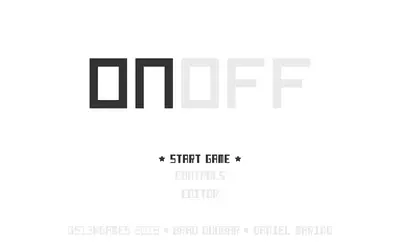
The stage is about 5.6 kilometers long and drops roughly 467 meters from start to finish. The title screen shows the length, the total drop and the seed number used to build the road. On this site the game always loads seed 22, so you face the same course on every visit.
That course mixes tight hairpins with fast sweepers. Corner sizes range from very sharp bends to long arcs, and about 30 percent of the road is straight. Along the way you pass forests, wind turbines, lighthouses, bridges, a tunnel, hay bales and crowds of fans. A few spots have ramps that launch your car into the air, and a big jump triggers a short slow-motion moment with the camera pulling back.
How to Play Redrock
Press Enter on the title screen. All four cars sit revving on the line through a three-two-one countdown, and you start behind the pack, so the whole run is a chase.
Up or W is the gas, Down or S is the brake, and the left and right keys steer. Space is the handbrake, and holding C shows the view behind you. On a controller the triggers handle gas and brake, and Start opens the pause menu.
The handling is arcade-friendly, but the car has real weight. It dips its nose when you brake and squats when you accelerate, and each tire only has so much grip to share between turning and slowing down. Braking hard in the middle of a turn uses up the grip you needed to steer.
Reading the HUD
Redrock packs a lot of live information around the edges of the screen:
- Elevation card (top left) traces the mountain’s profile and marks how far down you are.
- Rival strip below it places the other cars around you, so you can see who is close.
- Position badge shows your current place out of four.
- Gap number under the timer counts the seconds to the car ahead, with a plus sign when you trail.
- Speed dial reads your speed in km/h.
Once you take the lead, the gap number switches to show your margin over second place.
Redrock Racing Tips
- Brake on the straight, not in the corner. Slow down before you turn in, then roll back onto the gas as the road opens up.
- Tap the handbrake, don’t hold it. A short tap swings the rear around a hairpin. Holding it scrubs off speed you then have to win back.
- Stay on the tarmac. The dirt edge has much less grip, and a wide exit throws off your line for the next bend.
- Use the elevation card as a map. Steep sections of the profile mean more speed, so brake earlier there.
- Pass one car at a time. The rivals are programmed to keep the pack close, so a lucky early lead won’t last. Steady, clean laps win more races.
- Learn the course. Because the seed never changes here, every run teaches you something you can use next time.
Mistakes New Drivers Make
The most common one is flooring it everywhere. The road drops fast, and arriving at a hairpin too quickly sends you off the edge. Lifting off the gas a moment early often beats braking hard late.
Another is panicking after a crash. If the car is sideways in the grass and won’t move, R restarts the run and puts you back on the road. Last, don’t reach for Escape to skip the countdown, because Escape pauses the game instead. Enter is the skip key.
Devices, Sound and Saving
Redrock asks more of your computer than most browser games. A recent laptop or Chromebook should run it smoothly, while older or low-power machines may stutter. Phones automatically get a lower graphics setting, plus touch pedals and tilt or drag steering, and the game needs to be held in landscape.
Sound is all synthesized: the engine note rises with speed and load, and you’ll hear tire scrub, wind and impacts. Turn your volume down if you’re in class. Nothing is saved between visits, which suits a single race of a few minutes.
Other Racing Games to Try
Micro Racer is a lighter top-down race with a new random circuit every restart, so it runs well on older devices. Speedway gives you just one minute to weave past slower traffic, which is great for a short break. For a fuller race weekend with qualifying and a pit stop, try Mini Grand Prix, or browse every pick on the racing games page.