Speedway is a retro arcade racer with a fake-3D road, viewed from right behind a red open-wheel car. You can play Speedway unblocked in your browser: you get sixty seconds on a looping track packed with twelve slower cars, and your score depends on how much road you cover. Holding the gas is easy, but holding a clean line through traffic and bends is the real challenge. Frank Force built it for LittleJS Arcade and drew every car, tree and sign with code.
How to Play Speedway
The run starts the moment you press Play. Three readouts sit at the top left: your speed, the time left and your lap count. Your score climbs at the top right.
On a keyboard, use the up arrow or W to accelerate, down or S to brake, and left and right or A and D to steer. With a mouse, hold the left button for gas, the right button for brake, and move the pointer left or right of center to steer. A controller works too, with A or the right trigger as gas and B as brake.
The First Ten Seconds
Hold the gas right away. The car reaches its top speed of 230 mph in a little over a second, and steering only fully kicks in once you are rolling. The track opens with a long straight, then bends left, so settle into a lane and watch for the first cars ahead.
The Clock and the Score
Sixty seconds go on the clock at the start, and they only count down while you are moving. Your score rises with distance, so faster driving means more points per second. At top speed on the road, you earn roughly 6,500 points every second.
Off the asphalt, your points come in at 60 percent of the normal rate, on top of the speed you lose. When time is up, a Time Up screen shows your final score, and Enter, Space or a click starts the next run.
The Circuit and the Traffic
The loop is the same every run, so learning it pays off. In order, it has:
- A starting straight, then a wide left bend and a short straight.
- A wide right bend, then another straight.
- A set of S-bends that swing left, right, left and right.
- The longest straight on the track.
- A big sweeping right turn back to the start.
At full speed, a lap takes about half a minute, so a clean run gets you a little less than two laps.
The twelve other cars each drive at a random pace between about 40 and 60 percent of your top speed, and they wobble slightly inside their lanes. Once you pass one, it gets recycled as new traffic far up the road, so there are always more cars ahead.
Speedway Tips and Strategy
- Never lift off the gas. Releasing it only bleeds speed slowly, but there is no reason to coast in a game scored by distance.
- Turn in before the curve. Bends push you toward the outside edge, so start steering early and keep the corrections small.
- Pass with room to spare. Because rivals wobble, pick the wider gap rather than squeezing by.
- Keep the gas pressed on grass. Holding it lets you crawl along at about 46 mph so you can steer back onto the road. Release it and the car rolls to a stop.
- Rebuild speed after the S-bends. The longest straightaway comes right after them, which is the safest spot to get back to 230.
- Stick to one input on a laptop. Moving the mouse gives it control of steering, and tapping a steering key hands it back.
Mistakes New Players Make
The most common mistake is braking for corners. None of the bends require it if you steer early, and every brake tap costs points. Another is weaving between lanes for no reason. Each swerve risks clipping a car, which cuts your speed to a little over half in an instant. Finally, players often oversteer after a crash and slide straight onto the grass.
Devices, Sound and Pausing
Speedway works with a keyboard, mouse, touchscreen or game controller. On a phone or tablet, an on-screen stick and two buttons appear, and landscape gives you the widest view. On a Chromebook, the keyboard is usually steadier than the touchpad.
The engine hum rises with your speed, and there are crash and rumble sounds, so lower the volume in a quiet room. Escape or the menu icon opens a pause menu where you can resume, restart or quit.
Similar Racing Games
Each run lasts about a minute, so a few of them fit easily into a short break. Find more on the racing games page, or try these:
- Hue Jumper is also a fake-3D drive, but you steer down an endless winding road with jumps and checkpoints.
- Micro Racer shows the track from above, which makes it more about racing lines than dodging traffic.
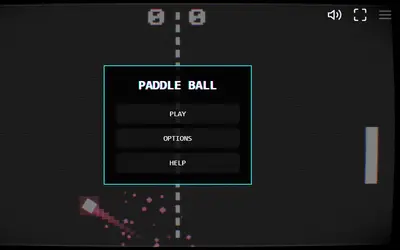
- Paddle Ball is a short reflex game from the same LittleJS collection, played on a neon court.