Mole Tap is a short reflex game set on a sunny patch of grass. A cartoon mole pops up somewhere on the lawn, waits less than a second, and vanishes again, and you score by clicking it before it goes. This Mole Tap unblocked version plays in any browser with a mouse or a finger, and since a full round lasts about twenty seconds, it is an easy pick when you have almost no time at all.
How to Play Mole Tap
Click or tap the title screen to begin. The lawn stays empty for a second and a half, then the first mole appears at a random spot. It stays up for exactly 750 milliseconds. Click it in that window and it flashes in front of a yellow starburst before disappearing.
There are no fixed holes to watch. The mole can show up anywhere inside the lawn, so your eyes have to cover the whole area. After a hit, the starburst picture stays for half a second, then the lawn sits empty for another 1.5 seconds before the next one. If you miss, the mole simply ducks away and the same 1.5-second pause follows.
After the tenth mole, the scoreboard shows your final score and hit count, and a Play Again? button starts a fresh round.
Mole Tap Scoring, With Real Numbers
Each hit pays points based on how fast you clicked after the mole appeared. The code takes the time left out of 750 milliseconds, turns it into a percentage, and multiplies by ten. So the maximum per mole is 1,000, and the value ticks down in steps of ten.
Here is what different reaction times are worth:
| Your click after | Points |
|---|---|
| 150 ms | 800 |
| 250 ms | 660 |
| 300 ms | 600 |
| 400 ms | 460 |
| 500 ms | 330 |
| 600 ms | 200 |
Ten moles means a perfect round tops out just under 10,000. Hitting all ten at around 400 milliseconds each adds up to 4,600, so anything above that means you are quicker than that pace.
The box in the upper-left corner tracks your points and a hit count such as “3 / 5”, meaning three hits from the five moles shown so far.
A mole can only be scored once. Double-clicking does not add extra points, because the first click marks it as hit and the rest are ignored. The round also never runs short or long: it always shows ten moles, so the only things that change your score are how many you hit and how fast.
Tips for Faster Bonks
- Rest your pointer in the middle of the lawn. Since a mole can appear anywhere, the center keeps every spot within a short reach.
- Return to the center during the pause. You always get at least 1.5 seconds between moles, which is plenty of time to reset.
- Look wide, not at one spot. Soften your focus and take in the whole lawn. A flash of brown at the edge is easier to catch that way.
- Click the middle of the mole. The whole picture counts as a hit, so aim for its center instead of risking the edge.
- Don’t panic-click. Missed clicks cost nothing, but a quick, steady click lands better than a frantic one.
- Play several rounds in a row. Every round has the same ten moles and the same timing, so scores are easy to compare and improvement shows quickly.
Mistakes New Players Make
The most common one is chasing the mole after it starts to fade. A click at 700 milliseconds is barely worth anything, and if the mole is already gone, it scores nothing. Treat every mole as a fresh reaction.
Another is moving the pointer during the wait. If you sweep around the lawn guessing where the next mole will be, you are often moving the wrong way when it appears. Stay still and react.
Players on a touchpad also tend to drag instead of tap. Turning on tap-to-click on a Chromebook makes each bonk faster.
Playing on a Chromebook, Tablet or Phone
The game is built from plain HTML and pictures, so it is light and loads quickly. Touch screens work very well here, because tapping is quicker than moving a cursor. On a phone, hold it sideways for the biggest lawn.
There is no sound, so you can play in class or the library without headphones. There is no saving either: each round starts at zero and your score is gone once you start the next.
Where It Came From and Who It Suits
Christopher Scott Hernandez wrote the original game in 2010 as a one-day challenge, using plain JavaScript with no libraries, and drew the mole and button art himself. This copy keeps his scoring and timing unchanged; the only gameplay fix hides the last mole so it can’t be clicked after the round ends.
It suits a two-minute break better than a long session. If you want a bit more to chew on, the arcade games section has plenty:
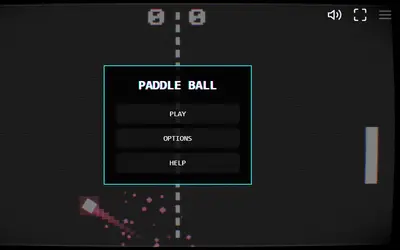
- Paddle Ball also tests reflexes, with a ball that speeds up each time you return it.
- Wing Dash needs well-timed taps to keep a bird in the air.
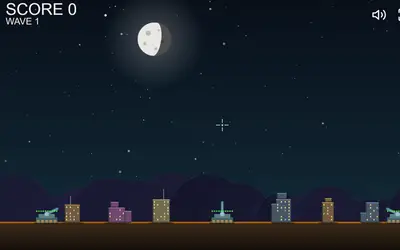
- Missile Defense asks you to aim at falling rockets while protecting your cities.