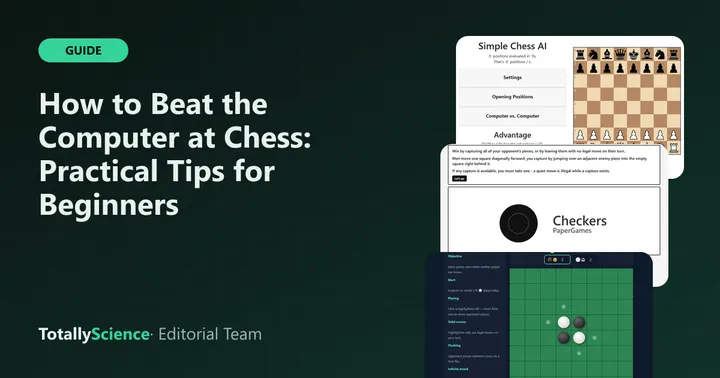
To beat a chess computer as a beginner, lower its search depth, protect every piece before you move, and make plans that go further ahead than the engine can see. On Totally Science, our Chess AI game lets you set that depth from 1 to 5, take moves back and turn on hints, which makes it a good place to practice. The tips below work on most beginner-level chess programs too.
You play White and move first, by dragging pieces to their new squares.
Know What You Are Playing Against
Chess AI uses a classic search method. It looks at every move it can make, then every reply you could make, and keeps going until it reaches the depth you set. Then it scores each position by adding up piece values and small bonuses for good squares.
That tells you two useful things. First, it is very good at spotting free pieces. Second, it does not understand long-term plans, and it cannot see anything past its depth limit. Most of the tips below come from those two facts.
The engine’s piece values are easy to remember:
- Pawn: 100
- Knight: 280
- Bishop: 320
- Rook: 479
- Queen: 929
Pick the Right Difficulty
Open Settings in the Totally Science version and you will see a Search Depth menu for Black. It starts at 3. Lower numbers mean the computer plans fewer moves ahead and replies faster.
| Search depth | What to expect | Good for |
|---|---|---|
| 1 | Barely plans, but still grabs loose pieces | Learning how pieces move |
| 2 | Sees simple replies to its own moves | First real wins |
| 3 | The default starting level | Practicing full games |
| 4 | Much harder to trick, slower to answer | Longer study periods |
| 5 | Checks the most replies, slowest to answer | Serious challenge |
A good rule is to collect a few wins at one depth before moving up. On a slower Chromebook, depth 5 can take a while to answer each move, so be patient or stay at 3 or 4.
Opening Tips That Work
The first ten moves set up the rest of the game. You do not need to memorize long lines. Follow a few simple ideas instead.
Take the Center
Move a center pawn first, such as the pawn in front of your king. Pawns in the middle give your pieces room and limit where Black’s pieces can go.
Bring Out Knights and Bishops
Get your knights and bishops off the back row early. The engine gives knights a bonus for staying away from the edges, and that is good advice for you too.
Keep Your Queen at Home
New players love to attack with the queen right away. The computer answers by chasing it with smaller pieces and gains time with every chase. Bring the queen out later, once other pieces are developed.
Castle Early
Castling tucks your king into a corner and connects your rooks. A king left in the middle is an easy target once the board opens up.
Stop Losing Pieces for Free
This is where most games against a computer are won or lost. The engine almost never misses a piece you leave undefended.
Before you release any piece, run through a short check:
- What does my move attack? Know why you are making it.
- What did Black’s last move attack? The engine’s move is outlined in blue, so look at it first.
- Is the square I am moving to safe? If an enemy piece can take it and nothing of yours takes back, find another move.
- Did I leave something behind? Moving one piece can uncover another.
Watch the Advantage bar as well. A sudden swing of about 300 usually means a knight or bishop changed hands, and a swing near 900 means a queen did. If the number jumps toward Black, something of yours is probably hanging.
Use Threats the Engine Cannot See
Because the computer stops looking at a fixed depth, it can walk into trouble that arrives one move later than it checks. At depth 2 or 3, slow attacks work well.
Try lining up two pieces on the same target, such as a rook and queen on one file, or a bishop and queen aimed at the king. Build the threat over several moves. The engine often grabs a pawn somewhere else while your attack gets ready.
Forks are another weapon. A knight that attacks two pieces at once forces the computer to lose one of them, no matter how deeply it searches.
Finish the Game Without a Draw
Being ahead is not the same as winning. Draws in Chess AI come from stalemate, a position repeating three times, fifty moves without a capture or pawn move, or too few pieces left to checkmate.
Stalemate catches many beginners. Under the official FIDE Laws of Chess, a game is drawn when the player to move has no legal move and is not in check. So when Black has only a king left, make sure it always has a square to go to until you deliver mate.
Two more tips for the end:
- Trade pieces when you are ahead. Fewer pieces means fewer tricks for the computer.
- Watch promotion. A pawn reaching the last row always becomes a queen here, and a new queen can accidentally leave Black with no moves.
Learn Faster With Undo and Hints
Undo takes back your move plus the engine’s answer, and Redo puts them back. Use it after a loss to find the move where things went wrong.
The Show Suggested Move box in Settings outlines a recommended move in red. Try making your own plan first, then compare. Chess AI does not save between visits, so finish a game in one sitting. A short game at depth 2 usually fits a lunch break.
Other Thinking Games to Try
If you enjoy chess, Checkers has its own computer with three levels, and Universal Reversi has five. Gomoku teaches the same habit of spotting double threats. You will find all of them in our board and card games section, and longer games on the strategy games page.
Want a human opponent instead? Our list of two-player games to play with a friend covers games you can share on one screen. For quick breaks, see our puzzle games for study breaks or our racing games comparison, or browse every game on Totally Science to find your next favorite.
Frequently asked questions
How do I make the chess computer easier to beat?
In Chess AI, open Settings and lower the Search Depth for Black. It starts at 3, and the range runs from 1 to 5. At depth 1 the computer barely plans ahead, so it is a good place to learn. Raise the number one step at a time as you start winning.
Why does the computer always take my pieces?
Even at its weakest setting, the engine checks every capture available on the board. If one of your pieces is undefended, it will usually grab it. Before each move, look at which of your pieces are attacked and whether something protects them. That habit alone wins many more games.
Is using undo against the computer cheating?
Not when you are practicing alone. Undo in Chess AI takes back your move and the engine's reply, so you can test another idea from the same spot. Treat it as a learning tool. Once you feel ready, play a full game without it to see how much you have improved.
Can I play chess against the computer as Black?
Not in this game. Chess AI always gives you White, so you move first. You can still practice defending by loading the Ruy Lopez or Italian Game from Opening Positions, where Black is to move. A Computer vs. Computer mode also lets you watch the engine play itself.