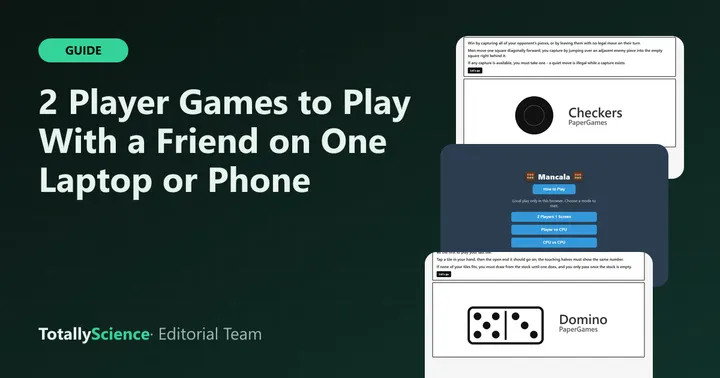
The best 2 player unblocked games are ones you can share on a single screen and take turns with. On Totally Science, ten games have a two-player mode, including Checkers, Four in a Row, Mancala, Domino and Penalty Shootout. You both play on the same laptop, tablet or phone, with nothing to install and no accounts.
Here is how each two-player mode actually works, plus a few habits that make sharing one device easier.
How Two-Player Mode Works Here
All ten games on Totally Science use local play. That means one device and two people taking turns, either side by side or passing it back and forth. There is no online matchmaking.
Games fall into three rough groups:
- Open board: both players can see everything, so you just sit together and alternate moves.
- Hidden hand: one player has secret information, so the other should look away at the right moment.
- Dice and luck: skill matters less, which keeps things even between very different players.
Quick Comparison Table
| Game | How to start 2 players | Type | Luck or skill | Also vs computer |
|---|---|---|---|---|
| Checkers | 2 Player (local) | Open board | Skill | 3 levels |
| Four in a Row | 2 Player (local) | Open board | Skill | 3 levels |
| Gomoku | 2 Player (local) | Open board | Skill | 3 levels |
| Universal Reversi | Players: Human vs Human | Open board | Skill | 5 levels |
| Mancala | Two people on one device | Open board | Skill | 7 bots |
| Backgammon | Menu, 2 Player (local) | Open board | Dice plus skill | 3 levels |
| Snakes and Ladders | 2 players, 0 computers | Open board | Luck | Up to 3 computers |
| Domino | Same device mode | Hidden hand | Some luck | 3 levels |
| Penalty Shootout | Two-player option | Hidden pick | Guessing | 3 levels |
| Compact Conflict | Set colors to Human | Open map | Skill | AI seats |
Classic Board Games for Two
These are the easiest to share. The board is in plain view, so the only rule is to wait your turn.
Checkers
Checkers uses the familiar 8x8 board with 12 pieces per side. Captures are forced, so a single careless move can hand your friend a chain of jumps. Pick 2 Player (local) and start. An unfinished game stays saved in the browser, so you can pause at the bell.
Four in a Row and Gomoku
Four in a Row drops discs into a grid seven columns wide, and the first line of four wins. It is short and tense, which makes it a good warm-up. Gomoku plays on a much bigger 15 by 15 grid, where you need five stones in a row. Both games have a 2 Player (local) button and an Undo for misclicks.
Universal Reversi
In Reversi, you flip your rival’s discs by trapping them in a line. This version adds a twist: the board wraps around, so a line leaving one edge comes back on the other. Set Players to Human vs Human, then press Reset Game, since settings only apply after a reset.
Mancala
Mancala uses Kalah rules with 48 seeds. In the two-player mode, Red sits on the upper side and Green on the lower side. Sit next to each other or turn the device around between turns. Counting seeds to land an extra turn is the main skill.
Dice Games That Keep It Fair
Luck can be a good thing when one friend is far more experienced.
Backgammon
Backgammon mixes dice rolls with real choices about which checkers to move. Open the Menu, choose 2 Player (local) and press New game. The game checks the tricky rules for you, and it saves after every move.
Snakes and Ladders
Snakes and Ladders is almost all luck. The default setup has one computer player, so change the computers to zero for a pure two-person game. A small 50-field board is quick, and the 100-field board takes longer.
Games With Hidden Information
These two need a little honesty, since one person sees something the other should not.
Domino
Domino has a Same device mode for two to four players. Pass the device, and only the player whose turn it is taps Show my tiles. In Classic, two players get seven tiles each, so a round goes fast.
Penalty Shootout
Penalty Shootout has you swap between shooter and goalie. The goalie commits to a dive square first, so the shooter should turn away until the pick is made. It has music and crowd sounds, so lower the volume in a quiet room. More picks like it are on our sports games page.
A Longer Strategy Match
Compact Conflict is a turn-based map battle for up to four armies. Before the match, set two colors to Human and the rest to AI or Off. A 9-turn game fits a short break, while 15 turns suits a longer study hall. Browse more on the strategy games page.
Tips for Sharing One Laptop
Two people on one Chromebook can get cramped. A few habits help:
- Agree on Undo first. Most of these games have an Undo button. Decide before you start whether takebacks are allowed.
- Use taps or clicks. All ten work with a touchpad or touchscreen, so nobody needs to reach across the keyboard.
- Keep it quiet. Board games like Checkers and Backgammon make no sound, which suits a library.
- Know where saves live. Paused games stay in that one browser. A guest session will not keep them, since Google notes that leaving guest mode deletes website data along with your files and browsing activity.
For more help with screens and controls, read our guide on how to play games on a school Chromebook.
Where to Go Next
If your friend leaves and you want to keep playing, every game above also has a computer opponent. For a tougher solo challenge, our post on how to beat the computer at chess has tips that also help in Checkers and Reversi.
You can find every two-player pick on our board and card games page. When you want something faster, return to the Totally Science front page and try a racing or arcade game instead.
Frequently asked questions
Can I play 2 player unblocked games online with a friend on another computer?
Not on our site. Our two-player modes are local, which means both of you play on the same laptop, tablet or phone and take turns. That keeps things simple, since nobody needs an account or a code to join. If you want separate devices, each of you can play the computer instead.
What is the best two-player game for a quick break?
Four in a Row is a good pick, because the rules are simple and a round takes only a few minutes. A two-player Classic round of Domino also ends fast, since each player gets just seven tiles. Penalty Shootout is quick too, with five kicks each before sudden death.
Which two-player game does not need any skill?
Snakes and Ladders. A single die decides almost every move, so a younger sibling has the same chance as an older one. Set the number of computer players to zero, pick two tokens and take turns pressing Roll. A small board game takes only a few minutes.
How do we play a card or tile game without seeing each other's hand?
Domino has a Same device mode built for this. Only the player whose turn it is taps Show my tiles, and the other person looks away. In Penalty Shootout, the goalie picks a dive square first, so the shooter should turn away until the pick is made.