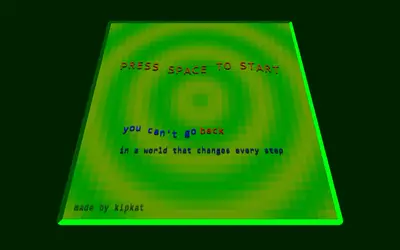
Hue Jumper is a short, colorful 3D driving game where your only rival is a ticking clock. When you play Hue Jumper unblocked in your browser, a random road rolls out over hills ahead of you, and the car gains speed by itself as long as you keep it pointed down the road. Boulders and trees are scattered along the edges, and a fast double-click throws the car into the air above them. Frank Force first wrote it as a 2-kilobyte challenge, then released this longer, easy-to-read edition.
The Goal of a Run
You start with 20 seconds, shown in big numbers at the top left. Your distance counts up at the top right. Every 100 units there is a checkpoint, marked by a pale stripe across the road, and crossing it adds 10 seconds, up to a 20-second maximum. Each checkpoint also shifts every color in the world to a new hue, which is where the name comes from.
The road ends at 1000, after ten checkpoints. If time runs out first, your car rolls to a halt and that attempt is finished.
How to Play Hue Jumper
Click the screen to start. The title disappears, the timer appears, and the car speeds up any time it touches the ground and your brake is off.
- Steer by sliding the mouse sideways.
- Brake by holding the mouse button.
- Jump with a double-click.
- Press R for a brand-new road.
- Press 1 to save a screenshot as an image file.
On a touchscreen, hold a finger on the side you want to turn toward, lift your finger to brake, and tap quickly to jump.
Bends tug you toward their outer edge, so steer into each one early. Running onto the dirt drains speed and makes the view wobble. Crashing into a boulder or tree hurts more, because it cuts your speed to a tenth of what it was.
How the Road Gets Harder
Every road is built from random sections, but the code ramps up difficulty with distance. Near the start, a section can be up to three times the base width, with gentle turns and hills. Each checkpoint makes sections narrower and bends sharper, and by the ninth checkpoint, at distance 900, the road can shrink to under a third of its normal width.
Hills grow taller too, which matters for jumps. Cresting a big hill at speed can lift the car off the ground, and you cannot jump again or speed up until the tires touch down.
Hue Jumper Tips
- Re-center your steering. Your turn stays locked in until the mouse returns to center. After a bend, ease it back.
- Brake as little as possible. With only 20 seconds to work with, every moment spent slowing down hurts. A short tap before a sharp turn is usually enough.
- Jump while you are grounded. The hop only triggers when the tires are touching the road, so press it before you reach the obstacle, not after you leave the ground.
- Look at the horizon. Hills hide turns, so watch where the road disappears to see what is coming.
- Stay on the asphalt late in the run. On thin roads, the dirt is right next to you, and its drag adds up fast when the clock is tight.
- Restart bad layouts. Every road is random, so if an attempt begins poorly, tap R and roll a new one.
Mistakes New Players Make
Most new players steer far too hard. Big mouse movements send the car sliding off the road, and since the turn stays locked in, you keep drifting until you center the mouse. Another common mistake is jumping over every obstacle. Most trees and rocks sit off to the side, so a jump you did not need can launch you off course. Save it for objects directly in your path.
On a School Chromebook or Phone
The game locks the mouse pointer inside the window while you drive, which keeps steering smooth. Press Esc if you need your cursor back, but the car will brake until you click the game again. A touchpad works, though a plug-in mouse gives finer steering.
On a phone or tablet, touch steering is less precise than a mouse, and there is no restart button, so reload the page for a new road. The whole game is a single small page with no sound, so it is quiet enough for a library. Performance depends on your device, since the world is redrawn every frame.
Who It Suits and What to Try Next
A run lasts from about half a minute to a few minutes, which makes it a good pick when you only have a short break. If you want more driving, see the racing games page or try these:
- Speedway is another fake-3D racer, but it uses a fixed looping track with traffic and a one-minute clock.
- Redrock adds three rival cars on a winding coastal mountain road, so you race opponents instead of a timer.
- Wing Dash is a one-button game where you flap a bird through pipe gaps, for when you want something even quicker.