Be Like Water is a quiet sorting puzzle about pouring colored liquid between glass tubes. Every level starts with the colors mixed up in stacked bands, and your job is to sort them until each tube holds one color only. You can play Be Like Water unblocked with just a mouse or a finger, and there is no timer. The twist is that the bands come in different thicknesses, so a pour is about free space, not neat equal slots.
Pouring 101
Click or tap a tube and it lifts a little to show it is selected. Then pick the tube you want to pour into. Only the topmost color moves, and it can land in an empty tube or on top of the same color. Clicking the lifted tube again just puts it back down.
Try to mix two colors and a “Cannot mix” message pops up. If the target is already packed, you will see “Bottle full” instead. A tube that ends up full of a single color gets a black cap, which means it is done and locked.
The level is cleared when each tube is either capped or empty. A random cheer such as “Splish splash” flashes at the top and the next level loads right after.
How to Play Be Like Water: Your First Level
Level 1 gives you just two colors spread across four tubes, with room to spare. That is the whole idea in miniature. Pour the top band of one tube into a tube with space, then keep pouring matching bands onto it until one color fills a tube to the top and caps.
Notice how a pour only moves as much as fits. Each tube holds the same total amount, and the bands are cut into uneven pieces. A thick band may need two different tubes to fit, while a thin sliver slides on top of almost anything of its color.
How the Levels Grow
There is no last level. The code works out the number of colors from the level number, and it grows slowly: about five colors by level 10 and eight colors by level 100. There are always two more tubes than colors, so level 10 has seven tubes on screen.
The bands also get thinner as the level climbs. Thin layers are the real difficulty, because they are easy to bury under another color by accident. Each layout is built by starting from sorted tubes and scrambling them with pours, and the scramble depends only on the level number. That is why typing in a level number rebuilds the exact same puzzle.
Settings Worth Knowing
The three-line menu icon opens a small settings page:
- Dark mode for a darker screen.
- Tiny mode to draw the tubes smaller.
- Animation, Slow animation and Instant new level to change how pours and level changes look. With instant new level off, you tap once to move on after a win.
- Level generation with Old, New and Beta choices. New is the default, and each choice adds a letter after the level number (N, E or D) so you know which one you are playing.
- Current level to jump straight to any number.
Smart Ways to Sort
- Protect your empty tube. An empty tube is the only safe parking spot for a color with no match, so try not to fill it unless you must.
- Check the space before pouring. A pour that only half fits leaves a thin leftover, and that leftover can trap the color under it.
- Work toward one tube at a time. A capped tube is out of play, which leaves you fewer things to track.
- Look at what sits under the top band. The best pour is often the one that uncovers a color you can use next.
- Experiment freely. The curved arrow takes back one pour at a time, all the way to the start of the level.
- Undo a restart. Hit restart by mistake? Pressing it again before you pour brings back the tubes you had.
Mistakes New Players Make
The most common trap is filling both empty tubes early with different colors. Then nothing has a place to go and you are stuck. Another one is pouring a thin sliver onto a tube just because the colors match, when that tube is the one you needed to empty. If a level feels hopeless, don’t restart right away. Undo several pours instead, since the mistake is usually only a few moves back.
Phones, Tablets and Chromebooks
The game only needs taps or clicks, so it works well on touch screens as well as laptops and school Chromebooks. The tubes scale down to fit the frame in portrait or landscape, though very high levels can still feel crowded on a small phone. Tiny mode helps there. There is no sound, so it is fine to play in a quiet classroom.
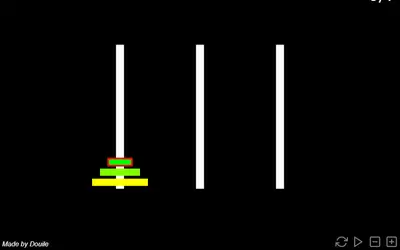
Because there is no timer and every pour is saved, a single level fits a two-minute break and you can stop any time. If you like slow, thinking-style puzzles, see more puzzle games. Light Flip is also about planning moves ahead, but each tap changes several tiles at once. Tower of Hanoi shares the idea of moving pieces between columns under strict rules, with rings instead of liquid.