Word Search is a calm letter-hunt puzzle with twelve words hidden in a square grid. Play Word Search unblocked in your browser, and you’ll scan rows, columns and diagonals for words that can run forward, backward, up or down. There’s no timer and no score, which makes it an easy pick for a quiet break, and you can even build a grid from your own vocabulary list.
How to Play Word Search
When the page loads, it picks one of seven themes at random and shows its name above the list, such as “Theme: Space”. Twelve words from that theme are hidden in the grid.
Choose a word from the list and look for its first letter. When you think you’ve found it, press on that letter and drag in a straight line to the last letter, then let go. A correct pick stays highlighted and the word is crossed out. A wrong guess simply fades away, with no penalty.
Find all twelve and the whole grid turns green with the message “All words found.” That’s the win. If you get stuck, Solve Puzzle reveals the words you missed.
The Seven Word Themes
Each theme has exactly twelve words, and the button labeled New word list moves to the next one in this order:
- Animals: creatures from badger to turtle
- Kitchen: tools such as a ladle, whisk and saucepan
- Weather: from breeze and drizzle to lightning
- Space: comet, nebula, orbit and more
- Fruit: apricot, mango, papaya and others
- Music: instruments like the banjo, oboe and ukulele
- Ocean: anchor, coral, lagoon, reef and tide
The longest words in Weather and Space have nine letters, so those grids start larger. The Animals, Fruit, Music and Ocean lists top out at seven letters, which makes for a smaller, quicker board.
How the Grid Is Built
The puzzle starts as a square exactly as wide as the longest word on the list. The generator then tries to place every word, and it likes to make words overlap where they share a letter. If it can’t fit them all after many tries, it adds one row and one column and tries again.
Once the words are in, the empty squares are filled with random letters. Those fill letters never include Q, X or Z. Any of those three you see in the grid must belong to a real word.
The button New grid with these words keeps the same list but shuffles the layout, so you can replay a theme with fresh positions.
Turn It Into a Study Tool
This is where the game shines for students. Every word on the list is an editable box. Type over a word to change it, clear a box to remove that word, or press Add word for an extra box. Then press New grid with these words, and the label switches to “Your own word list”.
Try it with this week’s spelling words, the parts of a plant cell, or the states in a history unit. Searching for a word makes you look at its spelling letter by letter, which is good practice. Keep each entry to a single word with no spaces, since every letter has to fit in a straight line on the grid.
Word Search Tips for Faster Finds
- Start with the rare letters. Q, X and Z never appear as filler, so spot those first.
- Find the longest word early. On a fresh grid it often stretches across a whole row, column or diagonal.
- Search for double letters. Pairs like the “ll” in drizzle or the “pp” in apple stand out.
- Read backward too. If a first letter leads nowhere, look for the last letter and trace the word in reverse.
- Check around found words. Words like to share letters, so the squares next to a found word are a smart place to look next.
- Watch your highlight. The colored trail only grows while the letters still match the start of a word you haven’t found. If it stops, that direction is a dead end.
Mistakes New Players Make
Many players only scan left to right. Since words can run in eight directions, train yourself to check up, down and all four diagonals from each first letter.
Another common slip is dragging past the end of a word or stopping one letter short. The selection has to start and end exactly on the word’s first and last letters. Finally, don’t press Solve Puzzle too soon, because it ends the challenge for that grid.
Playing on a Chromebook or Phone
All you need is a mouse, a trackpad or a fingertip. The grid scales to fit the screen on Chromebooks, laptops and phones, and on narrow screens the word list drops below the grid. There is no sound, so it’s fine to play in a library or classroom.
More Puzzle Games to Try
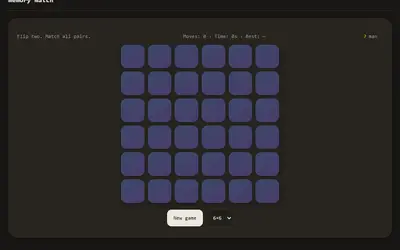
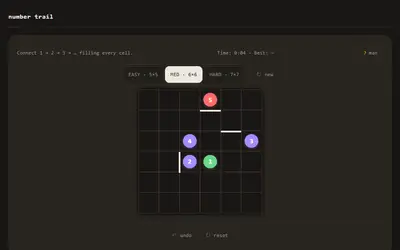
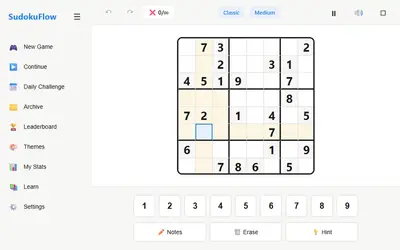
Number Trail is another calm grid puzzle, but you draw one line through numbers in order instead of hunting letters. Memory Match tests recall rather than scanning, as you flip cards to find pairs. For deeper logic, Sudoku offers 9x9 number puzzles with hints. You’ll find more on the puzzle games page.