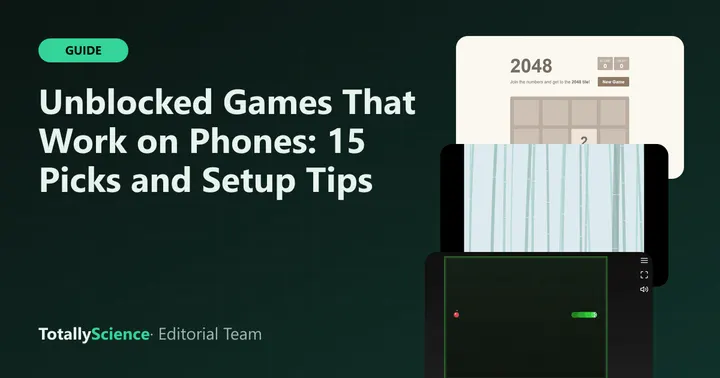
The best unblocked games on phone screens are ones built for taps and swipes, like 2048, Bobble Pop, Checkers and Mini Golf. On Totally Science, 54 of our 87 games are marked as fully playable on a phone, and they run in your normal mobile browser with nothing to install. Below are 15 of our favorites, sorted by type, with the best way to hold your phone for each.
After the picks, you will find tips on full screen, home screen shortcuts and saving progress.
How We Picked These Mobile Browser Games
Every game here is marked in our data as fully working on a phone. That means it supports touch and fits a small screen. From those 54, we chose a spread across categories so there is something for every mood.
We also checked each game’s orientation. Some are tall and fit an upright phone. Others are wide and need the phone turned sideways. A few adjust to either.
All 15 Picks at a Glance
| Game | Category | Hold your phone |
|---|---|---|
| 2048 | Puzzle | Portrait |
| Black Hole Square | Puzzle | Portrait |
| Be Like Water | Puzzle | Either way |
| Bobble Pop | Arcade | Portrait |
| Skyhop | Arcade | Portrait |
| Mole Tap | Arcade | Landscape |
| Checkers | Board and card | Portrait |
| Klondike Solitaire | Board and card | Either way |
| Mini Golf | Sports | Landscape |
| Free Throw | Sports | Landscape |
| Infinite Cars | Racing | Portrait |
| Stolen Sword | Action | Portrait |
| Math Sprint Game | Casual | Portrait |
| Unicorns Off My Lawn | Casual | Portrait |
| IsoCity | Strategy | Landscape |
Puzzle Games for Small Screens
Puzzles suit phones well because most of them only need taps or swipes. You can find more on our puzzle games page.
- 2048: swipe to slide every tile at once and merge matching numbers. Your board in progress is saved.
- Black Hole Square: push tiles into black holes with a set number of taps across 18 boards. The tall, narrow board fits an upright phone.
- Be Like Water: pour colored liquid between tubes until each holds one color. There is no timer, and the tubes shrink to fit either orientation.
Quick Arcade Games
These are short and fast, so they work for a few spare minutes. Browse the rest on our arcade games page.
- Bobble Pop: drag your finger to aim a bubble and lift it to shoot. Groups of three or more matching colors pop.
- Skyhop: a bouncing ball climbs a tower of platforms while you steer left and right. One missed landing usually ends the climb.
- Mole Tap: tap the mole in the short moment it is visible. A round lasts about twenty seconds, and holding the phone sideways makes the lawn bigger.
Board and Card Games
Turn-based games are relaxed on a phone, since nothing rushes your thumb. See every option on the board and card games page.
- Checkers: play the computer at three levels, or pass the phone to a friend. Games auto-save.
- Klondike Solitaire: the layout reflows for portrait or landscape. On narrow phones, New game and Undo may sit inside the Menu.
Sports, Racing and Action
These need a bit more room, so orientation matters most here.
- Mini Golf: nine holes with real ball physics. Put a finger on the ball, slide toward the target and lift. Holding the phone upright brings up a prompt to turn it.
- Free Throw: drag from the ball to shoot at a moving hoop during a one-minute clock. If you hold the phone upright, the game pauses and asks you to turn it.
- Infinite Cars: slide a car left and right to dodge traffic. The road is tall and narrow, so portrait fits best.
- Stolen Sword: drag back like a slingshot to launch your swordsman. Hold the phone upright, since the play area is tall. Your stage and wave are saved.
You can find more of these on our sports games page.
Casual and Strategy Picks
- Math Sprint Game: sort equations as true or false as fast as you can. Both answer buttons sit near the bottom, easy for a thumb.
- Unicorns Off My Lawn: tap to move a leprechaun and keep clumsy unicorns off your flowers.
- IsoCity: build a small town one tile at a time with no budget or score. In portrait, the piece palette moves into a strip above the map, and every change saves as you build.
If you like planning games, our guide to tower defense tips for beginners covers a genre that plays best on a bigger screen.
Tips for Playing on a Phone
Use Full Screen
Every game page on Totally Science has a Full screen button under the game. It gives the game the whole display instead of sharing it with the page. Some phone browsers, such as Safari on an iPhone, do not support full screen for web pages. There, the button stretches the game across the browser window and shows an Exit full screen button.
Turn the Phone When Asked
Check the table above before you start. A wide game held upright will look tiny, and some games will pause until you turn the phone. If your screen does not rotate at all, check that rotation lock is off in your phone’s quick settings.
Add a Home Screen Shortcut
You can put our site on your home screen so it opens like an app. On Android, Chrome’s menu lets you install a web app or create a shortcut. On an iPhone, the Share menu in Safari has a similar option. You can also tap the heart under any game to add it to My Games, a list of favorites that stays in your browser.
Know How Saves Work
Saves live in your phone’s browser storage, so they stay on that phone and that browser only. Progress from your Chromebook will not show up on your phone. Private or incognito tabs also start empty.
Clearing your browsing data removes saved games along with other site data. Google’s guide to deleting browsing data in Chrome on Android lists site data among the things it clears, so skip that box if you want to keep your progress.
Honest Notes on Phone Play
Not every game on Totally Science works on a phone. Of our 87 games, 18 are only partly playable on mobile, and 15 need a keyboard, a mouse or a larger screen. Those are better on a laptop. Our puzzle games for study breaks list notes which ones need a keyboard.
Phone data is also worth thinking about. Each game loads from our site when you open it, so use Wi-Fi when you can.
Ready to play? Head to the Totally Science front page and look for the games in the table above.
Frequently asked questions
Can I play unblocked games on my phone?
Yes. Our games run in the phone's normal web browser, so there is nothing to download from an app store. 54 of them are marked as fully playable with touch. Some others need a keyboard or a bigger screen. Whether a page loads still depends on the network you are using.
Should I hold my phone in portrait or landscape?
It depends on the game. Tall games like 2048, Skyhop and Stolen Sword fit a phone held upright. Wide games like Mini Golf, Free Throw and Mole Tap play better sideways. Some, like Be Like Water and Klondike Solitaire, adjust to either way.
Do mobile browser games save my progress?
Many do. Games like 2048, Checkers, Klondike Solitaire, Stolen Sword and IsoCity keep your place in the browser's storage. That save stays on one phone and one browser, so it will not appear on your laptop, and clearing your browsing data or using a private tab removes it.
How do I make a game fill my whole phone screen?
Press the Full screen button under the game on its page. On browsers that do not support full screen, such as Safari on an iPhone, the game stretches across the browser window instead, with an Exit full screen button to leave. Turning the phone may also help.